How to Choose the Best PDA Barcode Scanner?
Choosing a Pda Barcode Scanner is not just a matter of picking the fastest model. The right device should fit the work, the user, and the place where scanning happens. A warehouse worker may need a long-range imager for labels on high shelves. A shop associate may value a lightweight scanner that reads damaged barcodes at a busy checkout. Small details matter.
Start by checking which barcode types your operation uses. Confirm whether you need 1D, 2D, or both, and test scan distance with your actual labels. Then compare the operating system, wireless connectivity, battery life, screen readability, and compatibility with your existing software. A bright warehouse floor can make a dim display hard to read. A long shift can expose a battery that looked adequate on paper. Not glamorous, but important.
Durability claims deserve a closer look. Review the stated drop and ingress ratings, including the conditions under which they were tested. Ask about repair options, warranty coverage, and update support before committing to a fleet. If possible, trial a few devices during normal work, not just in a quiet office. Watch how they feel after an hour of scanning. Even a well-reviewed model may not suit every hand or workflow. There is no perfect spec sheet. A practical choice balances scan performance, comfort, reliability, and total ownership cost, with room to reassess after real users have tried it.
What Is a PDA Barcode Scanner and How Does It Work?
How to Choose the Best PDA Barcode Scanner?
What Is a PDA Barcode Scanner and How Does It Work?
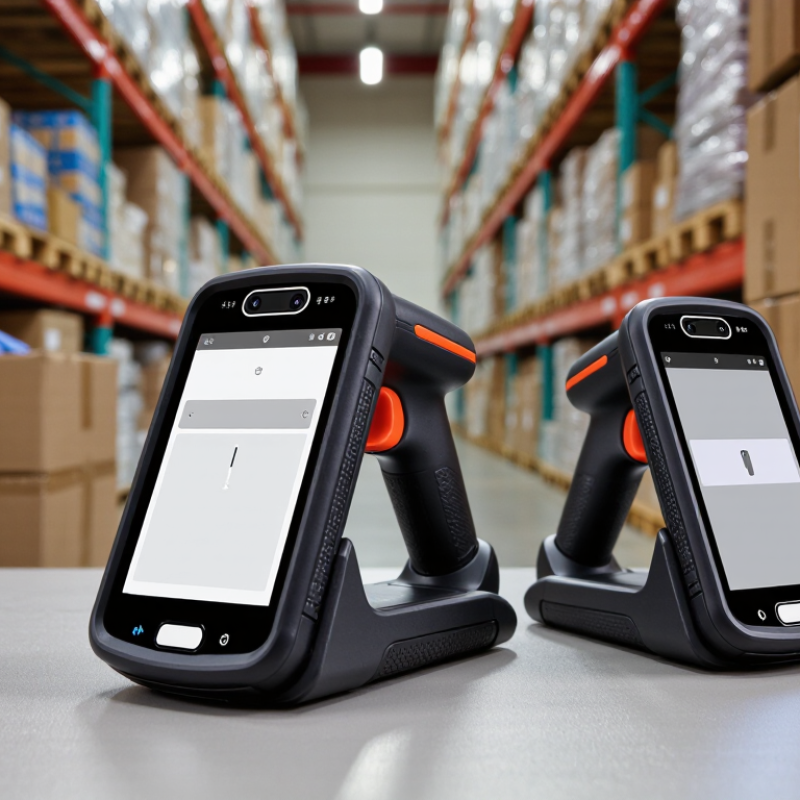
A PDA barcode scanner is a handheld computer with a built-in barcode reader. It usually has a screen, buttons or a touchscreen, memory, and wireless connectivity. Unlike a simple scanner, it can run work applications and handle data on the spot. For example, a warehouse employee can scan a carton, check its item details, and update inventory without returning to a desk.
When you press the scan key, the reader captures the barcode. An imaging engine takes a picture of the code, while a laser-based engine reads reflected light. The device then decodes the pattern and passes the result to an application. That data may be saved locally or sent over Wi-Fi or cellular service. A failed connection can interrupt updates, so offline storage may matter. That detail is easy to overlook.
Tips: Check which barcode types you need to scan, including 1D and 2D codes. Test the device on labels at realistic distances and angles. Look for a screen you can read under your actual lighting, and choose a battery that can last through a full shift. A tougher model is not always the better fit; weight and button placement affect daily use, too. I would test it with real tasks before choosing.
How to Define Your Scanning Tasks and Operating Conditions
Before comparing PDA barcode scanners, map each scan to a real task. List where workers scan, what they scan, and how often. Receiving may involve wide cartons and mixed labels. Picking may mean repeated scans from a cart, sometimes with one hand. Note the smallest barcode and the furthest comfortable reading distance. Small details matter.
Measure peak workload, not just an average shift. Record scans per hour, battery hours needed, and time spent wearing gloves. Check the actual environment: cold rooms, dust, bright loading-bay sunlight, or frequent drops onto concrete. A scanner that performs well at a desk may struggle when labels are scratched or workers move quickly. Be specific. The first task list is often incomplete; observe a busy shift and revise it.
Operating conditions also affect which features deserve priority. MHI and Deloitte’s 2024 Annual Industry Report found that 55% of respondents planned to increase investment in supply chain technology. That figure supports careful evaluation, not buying the most feature-rich device. Test candidate scanners with your own labels, gloves, and lighting. Track misreads, rescans, and worker comfort across several shifts. One short demo can miss the awkward parts. A realistic pilot may reveal that a lighter unit matters more than a faster processor, or that a rarely used feature adds needless complexity.
How to Assess Durability, Battery Life, Connectivity, and Software
A PDA scanner should survive the actual worksite, not just a clean showroom test. Check its IP rating, drop-test height, and operating-temperature range against your floors, loading docks, and cold rooms. Then handle it with gloves and test the buttons after repeated scans. Small details matter. A published drop rating does not guarantee survival on every concrete surface, so test a sample in realistic conditions.
Battery life should cover a full shift with Wi-Fi, screen brightness, and scanning active. Record remaining charge at shift end; standby claims can mislead. Test wireless roaming between access points while carrying a live task, and check whether work continues during brief signal loss. Software matters just as much: verify barcode formats, offline syncing, inventory-system integration, and security updates. In Deloitte’s 2024 smart manufacturing survey, 86% of surveyed executives said smart manufacturing would be a key competitiveness driver within five years. MHI’s 2024 Annual Industry Report also found that 55% planned to increase technology investment. These figures point to growing digital operations, but they do not prove a particular scanner will fit yours. Run a short pilot with real users, real labels, and one busy shift; the first test may still miss an awkward glove or a dead zone.
How to Match Device Features to Your Budget and Workflow
A PDA barcode scanner should fit the work, not just look capable on a specification sheet. Start by listing the tasks people perform each shift: scanning cartons, updating stock, checking deliveries, or working outdoors. A warehouse aisle with weak Wi-Fi creates different demands from a bright retail counter. Write down the conditions. Keep it practical.
Then match features to those conditions. If staff scan hundreds of labels daily, compare trigger comfort, scan speed, and battery life during a full shift. For outdoor routes, check screen readability in sunlight and whether the device can handle dust or occasional drops. A large display may help with forms, but it can feel cumbersome in a crowded picking area. Test it with gloves, if workers use them. Small details matter.
Set a budget that includes more than the device price. Charging docks, protective cases, software setup, and replacement units can change the real cost. Yet the most expensive scanner is not automatically the best fit. Ask workers to try shortlisted models with actual labels and workflows before buying. A brief trial can expose awkward menus or missed scans that a product sheet will not. I have seen teams overvalue ruggedness and overlook comfort; that is an easy mistake to make. Compare measurable needs, but leave room for feedback after daily use begins.