Top Touch Screen Kiosk Tips for Global Buyers to Consider?
In today's rapidly evolving marketplace, the demand for Touch Screen Kiosks continues to grow. These interactive solutions offer convenience and efficiency for various industries. Buyers worldwide should understand critical factors before making a purchase. The selection process demands careful consideration of both functionality and user experience.
Many businesses overlook essential features when choosing a Touch Screen Kiosk. Design, software compatibility, and customer support are vital aspects. A kiosk that doesn’t engage users can lead to frustration. It is important to ensure that the interface is intuitive and visually appealing. A well-designed kiosk can enhance brand image and improve customer satisfaction.
Buyers often forget to evaluate the longevity and durability of the kiosks. They should consider the environment in which the kiosks will be placed. Will they withstand high traffic areas? A durable kiosk means fewer replacements and maintenance costs. Reflecting on these points can lead to a more informed decision. Investing in a quality Touch Screen Kiosk is essential for long-term success.
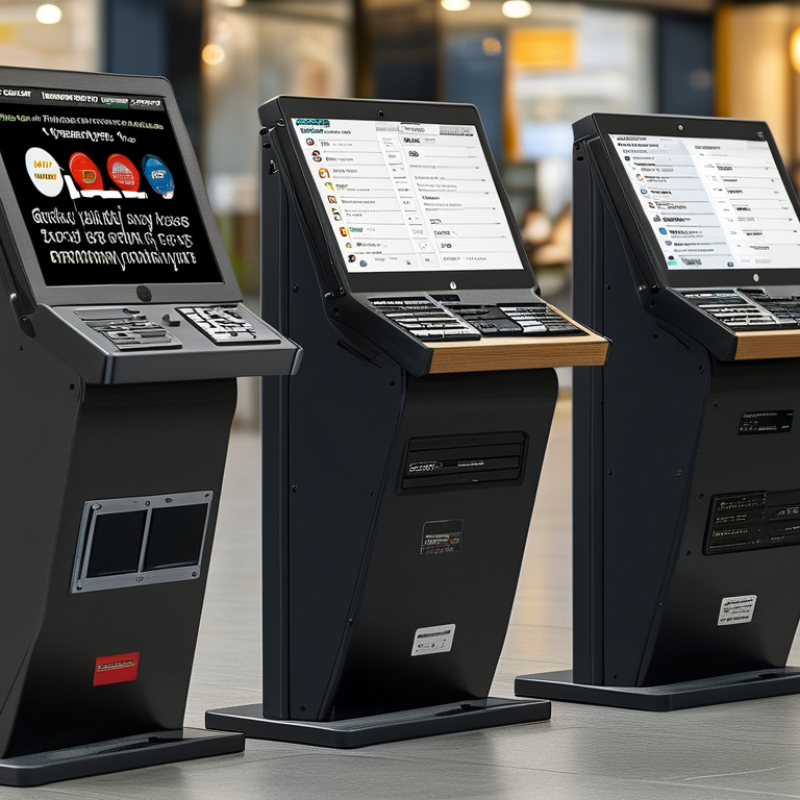
Understanding Global Market Trends in Touch Screen Kiosks
In the rapidly evolving world of touch screen kiosks, understanding global market trends is vital for buyers. Consumer behaviors shift, influenced by technology and culture. Customization is becoming essential. Users expect kiosks that reflect local preferences. This variability emphasizes the need for thorough market research before purchasing.
Consider usability when selecting touch screen kiosks. Touch interfaces should be intuitive. Complex designs may confuse users. Testing the interface with real users can uncover hidden challenges. This approach fosters better engagement and satisfaction.
Also, pay attention to the hardware specs. Some regions may prioritize durability, while others focus on aesthetics. Selecting the right materials for kiosks can significantly impact their lifespan. Suppliers should offer adaptable solutions that cater to diverse environments. Each decision plays a role in the overall user experience.
Key Features to Look for in Touch Screen Kiosks for Various Industries
When considering touch screen kiosks, several key features stand out across various industries. For retail, the kiosk should have a user-friendly interface. Customers appreciate a seamless experience. A high-definition display can enhance product visibility. Bright colors attract customers. Additionally, responsiveness is vital. Slow touch recognition frustrates users.
In healthcare, security features are crucial. Patient information must remain confidential. Kiosks with secure logins help protect sensitive data. Also, durability is essential in busy environments. Devices should withstand constant use. Being easy to clean and maintain adds to their value.
For food and beverage industries, integration with point-of-sale systems is key. This allows for quick transactions. Touch screen kiosks can streamline the ordering process. They should also offer customization options. This lets customers personalize their orders easily. However, creating a balance between complexity and usability is important. Overly complicated interfaces can drive users away. Striking a perfect balance requires ongoing feedback and adjustments.
Evaluating User Experience: Importance of Interface Design in Kiosks
When evaluating user experience in touch screen kiosks, interface design plays a critical role. A well-designed interface is intuitive. Users should navigate easily without confusion. This involves clear icons and logical layouts. The color scheme should be calming yet engaging. Feedback is vital; users need prompts confirming their actions. This reassures them they are on the right track.
However, not all kiosk designs consider accessibility. It’s essential to cater to users of all abilities. For example, text should be legible, and buttons should be large enough. This design aspect is often overlooked. Reflecting on users' diversity offers valuable insights. Testing with real users helps refine the interface. Their experiences can highlight strengths and weaknesses. Empathy in design leads to better user satisfaction. Listening to feedback can foster improvement. Ultimately, an interface must be user-centered to be effective.
Evaluating User Experience: Importance of Interface Design in Kiosks
Comparative Analysis of Touch Screen Kiosk Technologies and Innovations
Touch screen kiosks are evolving rapidly. Buyers need to understand various technologies and innovations in this space. One critical aspect is the display technology itself. Different kiosks use LCD, LED, or OLED panels. Each type has unique benefits and drawbacks. For example, while OLED displays offer vibrant colors, they may not be as durable in public environments. This trade-off is essential for purchasers to consider.
Another vital area is software compatibility. Kiosks require robust operating systems and applications tailored for specific functions. Some kiosks support multi-touch features, enhancing user interaction. Others provide accessibility options, helping those with disabilities. Understanding the implications of software on user experience is critical. If a kiosk does not function well, it can frustrate users and hinder engagement.
Furthermore, durability is a major concern. Kiosks often face heavy usage. Weather-resistant designs are crucial for outdoor placement. Buyers should inquire about materials used in construction. Some kiosks may exhibit wear over time, raising concerns about longevity. Evaluating these factors can significantly impact the success of kiosk deployments.
Top Touch Screen Kiosk Tips for Global Buyers to Consider
| Technology | Resolution | Touch Technology | Screen Size | Use Case | Average Cost |
| Capacitive | 1920 x 1080 | Multi-Touch | 15 inch | Retail | $1,500 |
| Resistive | 1280 x 800 | Single-Touch | 17 inch | Hospitality | $1,200 |
| Infrared | 3840 x 2160 | Multi-Touch | 32 inch | Information Kiosk | $2,500 |
| Optical | 2560 x 1440 | Multi-Touch | 24 inch | Wayfinding | $1,800 |
Regulatory Considerations for Deploying Touch Screen Kiosks Worldwide
When deploying touch screen kiosks globally, regulatory considerations are critical. Different countries have unique regulations concerning data privacy, accessibility, and safety. It’s essential to research local laws. Each region may have its own standards that affect kiosk design and operation.
Data protection is a major focus. The General Data Protection Regulation (GDPR) in Europe sets clear guidelines for data handling. Compliance is non-negotiable. Non-compliance can lead to significant fines and reputational damage. Similarly, the Americans with Disabilities Act (ADA) in the U.S. mandates accessibility in public spaces. Ignoring these requirements can alienate users.
Another aspect to consider is environmental compliance. Many countries are adopting strict guidelines on electronic waste and energy consumption. Kiosks must meet these regulations to avoid penalties. This often requires careful material selection and end-of-life strategies. Understanding these factors is vital for a successful global deployment. Cultural differences may also impact usage. A well-researched approach ensures that kiosks serve their purpose effectively and within legal boundaries.